TSA regulations cap carry-on battery capacity at 100Wh. The VoltCore Pro sits at 99.75Wh — intentionally just under the limit, fully compliant, no special documentation required. It goes in your carry-on bag, through the scanner, and onto the plane without conversation.
That capacity translates to 0.8 full charges of a MacBook Pro M4, six to eight full phone charges, or a continuous three-device charging session through a long-haul flight. The digital display tells you exactly how much capacity remains — no anxiety math before boarding.
Capacity: 99.75Wh
Weight: 1.32 lb (600g)
Size: 6.3 × 2.5 × 1.5 in
Carry-on: ✓ Compliant
[ Bluetooth App Control ]
The Display Knows Everything.
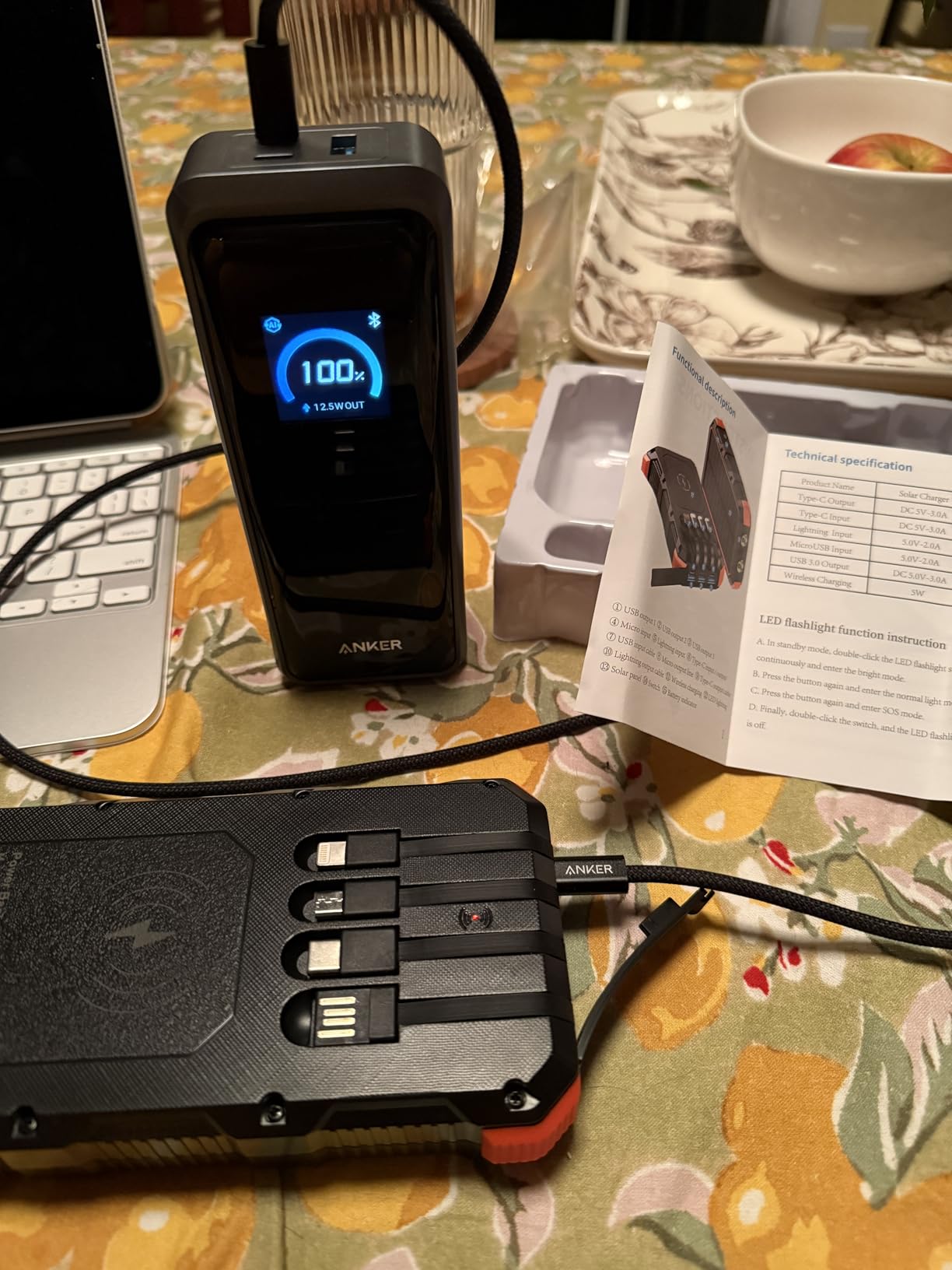
The front display shows real-time wattage per port — not just a battery bar. You can see that USB-C Port 1 is delivering 100W while Port 2 is at 45W and the USB-A is at 7W. All simultaneously, all live.
The companion app connects via Bluetooth and mirrors that data to your phone. Useful when the power bank is in a bag. You can also adjust per-port output limits and check firmware version without touching the device.
"Brought it on a red-eye with a dead laptop battery and got to my destination with my MacBook at 60% and my phone fully charged. The display showing live wattage per port is genuinely useful — not just a gimmick. I could tell immediately that Port 1 was pushing 97W to the laptop while my phone was getting its fast-charge speed. Only thing i'd say is it's heavier than i expected, but that's 26,000mAh of capacity — physics doesn't care about my complaints."
T
Tobias R.Seattle, WA · Verified Buyer · 3 weeks ago
★★★★★
"I recharge it every other day at the office. Takes about 45 minutes with two USB-C bricks plugged in simultaneously. That speed matters when you forget to charge overnight."
M
Maren L.Chicago, IL · Verified Buyer · 1 month ago
★★★★★
"Retired, travel four months a year. The carry-on approval is the reason i bought it. Fits in the top pocket of my travel backpack next to the charging cable it came with."
"Bought a second one for my partner after testing mine for three weeks. We use them differently — she charges two devices at once, I use the single 140W port for my work laptop exclusively. Both use cases work perfectly."
S
Soren A.Austin, TX · Verified Buyer · 5 weeks ago
★★★★★
"Got it as a gift for my daughter who does freelance video editing on location. She texted me three days after saying it was the most practical thing she owns."
Y
Yolanda K.Portland, OR · Verified Buyer · 2 months ago
★★★★★
"First power bank i've owned that actually matches the spec sheet in real use. The 250W dual-input recharge is real — I measured it with a USB meter. It pulled 235W sustained while topping off. The app is a nice addition; I use it to cap one port at 60W when charging overnight so the devices don't run hot. The digital display on the unit itself is bright enough to read in daylight without squinting."
C
Cassian W.Denver, CO · Verified Buyer · 7 weeks ago
[ Common Questions ]
Frequently Asked
Why does the bank charge fewer times than expected?
Li-ion cells have an internal efficiency factor — typically 80-85% of rated capacity is actually deliverable. A 26,250mAh bank delivers roughly 21,000-22,000mAh to connected devices. Factor in cable resistance and device charging circuit overhead, and real-world charge counts are 10-15% lower than theoretical. This is normal across all power banks at this capacity tier.
Can I charge and recharge the bank simultaneously?
Yes — pass-through charging is supported. When connected to a wall adapter via the input USB-C port, the bank can simultaneously deliver output to connected devices. Output power may be modestly reduced during pass-through mode to protect cell health during the combined load cycle. The display shows live input and output wattage so you can monitor both.
Is it normal for the bank to feel warm while charging?
Mild warmth is expected when operating near maximum wattage — particularly at 140W single-port or 300W combined output. The thermal management system regulates cell temperature within safe operating ranges. If the bank becomes hot to the touch (not just warm), disconnect one device and allow 10 minutes of rest. The unit has never been reported to reach unsafe temperatures in standard use.
What cable do I need for 140W output?
A 5A-rated USB-C cable is required to achieve the 140W maximum single-port output. Standard 3A USB-C cables cap at 60W. The included 3.3ft cable is rated for 240W (5A / 48V), so it supports full 140W output out of the box. If you use a third-party cable, check its ampere rating — this is the most common reason for lower-than-expected charging speed.
How should I store the bank long-term?
For storage longer than 30 days, charge the bank to 50-70% before storing. Avoid full 100% charge or complete discharge for extended storage, as both stress the cell chemistry over time. Store in a cool, dry location away from direct sunlight. Recharge to 50% every 3-4 months during long-term storage to maintain cell health.
Does this work with the app without Wi-Fi?
The app connects via Bluetooth, not Wi-Fi — so it works anywhere Bluetooth works. Airport, airplane cabin, remote cabin, anywhere. The app allows you to monitor per-port wattage, set output power limits, and check firmware version. Bluetooth range is approximately 30 feet in open space. No account required to use basic monitoring features.
300W. Ready To Go.
Two laptops at full speed. One phone fast-charging. A third device on USB-A. All from a 1.32 lb bank that flies carry-on legal and recharges to 50% in 13 minutes. The VoltCore Pro is the last portable charger you'll need to buy.